
When the customer says yes, record it. With Products linked, that sends Products an order request, and the order's progress comes back to the quote.
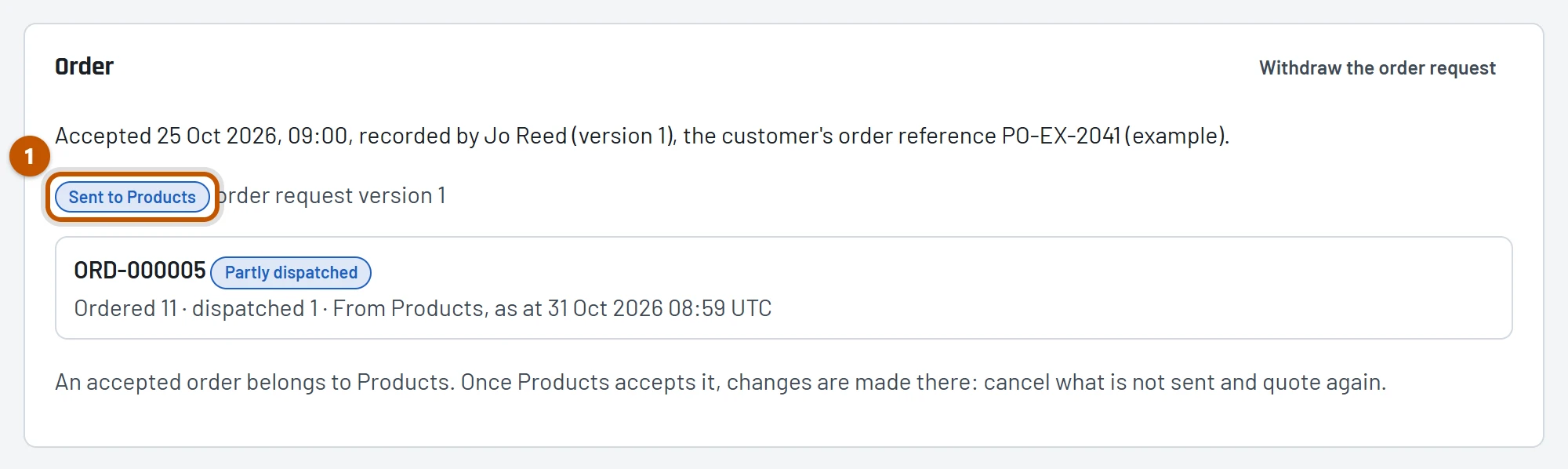
- The order's status, as Products last reported it.
Record acceptance
- Open the quote. It must be issued, within its date, and the customer must be active.
- Under Order, choose Record acceptance and send to Products.
- Fill in the Customer's order reference (if they gave one) and the Requested delivery date.
- Choose Record acceptance.
The quote shows Accepted and Sent to Products. Products checks the request, reserves the stock and answers. Until it does, the quote says Products has not answered yet. Recording acceptance a second time sends nothing more.
If a later version of the quote was in hand as a draft, it is withdrawn: the issued version is the one accepted.
What Products says
The quote's Order section, the customer's Orders and the timeline show the order as Products last reported it, with its time:
| Status | Meaning |
|---|---|
| Received by Products | Arrived; Products is checking it, or waiting for the customer's details |
| Waiting for approval in Products | Held for a person in Products: the reason says why |
| Accepted, stock reserved | The stock is held for this order |
| Being picked | Products is picking it |
| Partly dispatched, Dispatched | Some or all of it has gone, with the quantities |
| Refused by Products | Products will not take this request |
| Cancelled, Closed | Finished |
The counts show what was ordered, dispatched, returned and cancelled. The owner is told when an order needs a look.
If Products holds or refuses it
- Held: for example the customer is on credit hold. Sort out the reason, such as taking the hold off the customer, then choose Send to Products again. Products checks the new version.
- Refused: change the quote to make a new version, issue it and record acceptance again.
Withdraw it
Choose Withdraw the order request. Products cancels the order and releases the stock. If any of it has been dispatched, Products refuses: the quote goes back to Accepted and says why. Cancel the rest in Products and arrange a return there.