
Claim it back from your phone. Approved by your manager.
Expenses lets people claim back what they spent for the organisation, with the receipt taken on their phone. The manager approves it, a second person checks anything above your limit, and the money goes back through payroll or Finance.
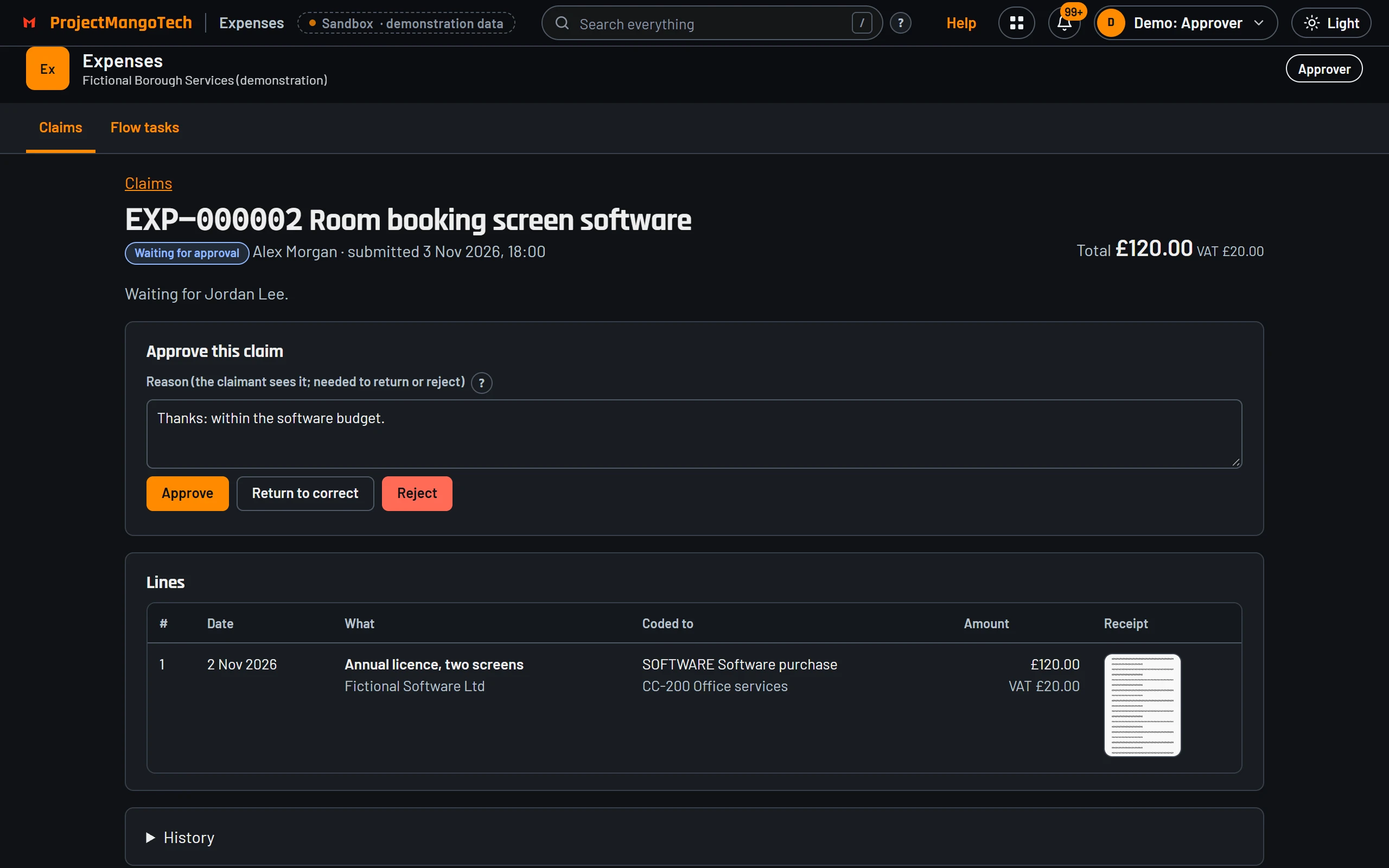
What Expenses does for you.
Take the picture from the claim, straighten it and send it.
The claimant's manager approves, and a second person checks above a limit.
Journeys at the organisation's own mileage rates.
Each code for every cost centre or only some, with VAT reclaimable where it is.
Card statements brought in, card by card, with each card's holder.
On the next pay run or in a Finance payment run, as you choose.
Everything you'd expect, and what a standalone expenses app often can't.
| What it does | Expenses | A typical standalone expenses app |
|---|---|---|
| Steps in processes that run across departments, with Flow | Included | No |
| Its to-dos in Core's one list of what is waiting, and its records in one search across every applet | Included | No |
| Each claimant's approver is their manager in HR | Included | Often extra |
| Cost centres and cost codes from Finance, with VAT reclaimable where it is | Included | Often extra |
| Paid back on the next pay run, or in a Finance payment run | Included | Often extra |
| Claims posted to the ledger by cost code and cost centre, with reclaimable VAT split out | Included | Often extra |
| Its reports in Core: build your own in a sentence, present full screen, emailed on a schedule, live in Excel and Power BI | Included | Often extra |
| Receipts from the phone's camera, straightened before sending | Included | Usually |
| The manager approves, and a second person checks above your limit | Included | Usually |
| Mileage at HMRC's published rates to start with, and a second rate after a band of miles | Included | Usually |
| Limits per cost code, per line, day or month, each a warning or a block | Included | Usually |
| Company card statements, card by card, storing only the last four digits | Included | Usually |
No: it needs Core's other applets working together, so a standalone tool can't. Often extra: an add-on, a higher plan, another product or a connector to set up. At launch: arrives before Core goes on sale in January 2027. What a typical standalone tool offers is our reading of popular UK tools of each kind in November 2026; individual products vary.
Nothing typed twice.
Expenses passes its work to the applets beside it and hears back from them, so the same thing is never entered twice.
Everything every applet needs, already there.
Expenses uses Core's one sign-in, knows your people and their roles, sends to the same bell, and keeps every change on the record. Switch it on beside the applets you already use, for one price set by the size of your organisation.
Learn it in minutes.
Questions about Expenses
Does every line need a receipt?
You decide: every line, or only those above an amount. A photo of a copy, or a PDF of an emailed receipt, works like the original.
How are claims paid back?
On the next pay run through Payroll, or in a Finance payment run, as you choose.
Do you store card numbers?
Only the last four digits of each company card. A statement column with the whole number is read for its last four, and the rest is never kept.
Applets that work alongside it.
Core opens soon.
We're getting Core and its 24 applets ready for their first organisations. Tell us what yours needs and we'll let you know the day the sandbox opens.