
Shifts planned, clocked from the door, approved.
Rota plans who works when, by location and role, and records when people actually arrive and leave. Staff clock in and out from their own phone by scanning the QR code at the door, and approved hours are ready for Payroll.
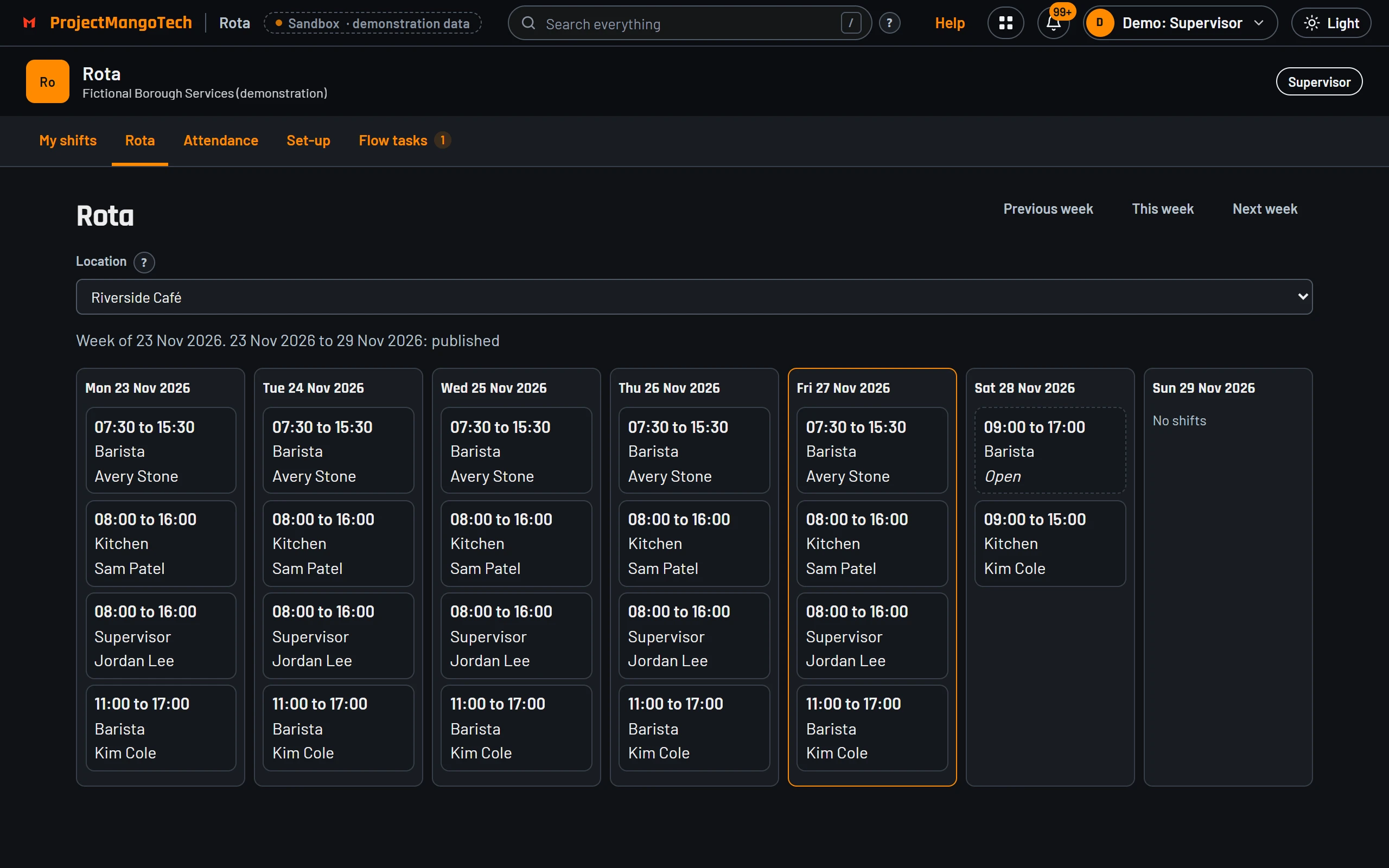
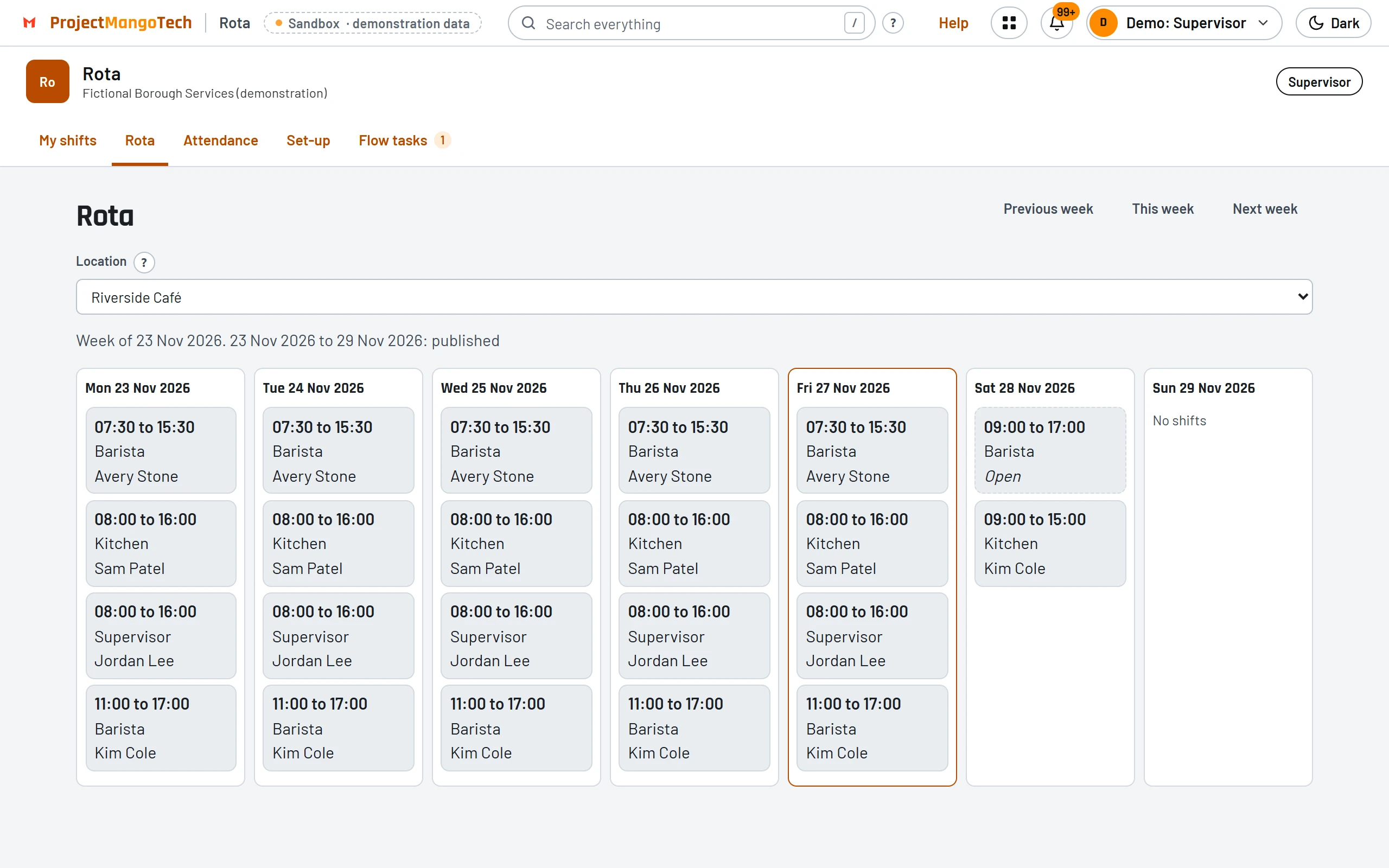
What Rota does for you.
Build the week from patterns, then publish it to everyone on it.
Each person scans the QR code at the door with their own phone. No clocking machine.
Your own rules, applied as warnings or as blocks, your choice.
A missed clock-out is corrected with a reason, and the change is kept.
Attendance is approved by a manager before it goes to Payroll.
Everyone sees their own shifts for the next two weeks, on their phone.
Everything you'd expect, and what a standalone rota and time-clock app often can't.
| What it does | Rota | A typical standalone rota and time-clock app |
|---|---|---|
| Who is on site, sent to Facilities for the fire roll call with the visitors | Included | No |
| Steps in processes that run across departments, with Flow | Included | No |
| Its to-dos in Core's one list of what is waiting, and its records in one search across every applet | Included | No |
| Only people trained for the role, from Training | Included | Rarely |
| A QR code at each door, with the time taken from the server, never the phone | Included | Often extra |
| Leave and family leave from HR already on the rota | Included | Often extra |
| Approved hours go to Payroll, each at its own role's rate | Included | Often extra |
| Its reports in Core: build your own in a sentence, present full screen, emailed on a schedule, live in Excel and Power BI | Included | Often extra |
| Shifts planned by location and role, from patterns, published to everyone on them | Included | Usually |
| Clock in and out from your own phone. No clocking machine to buy | Included | Usually |
| Your working time rules, as warnings or as blocks | Included | Usually |
| A missed clock-out corrected with a reason, and the change kept | Included | Usually |
No: it needs Core's other applets working together, so a standalone tool can't. Often extra: an add-on, a higher plan, another product or a connector to set up. At launch: arrives before Core goes on sale in January 2027. What a typical standalone tool offers is our reading of popular UK tools of each kind in November 2026; individual products vary.
Nothing typed twice.
Rota passes its work to the applets beside it and hears back from them, so the same thing is never entered twice.
Everything every applet needs, already there.
Rota uses Core's one sign-in, knows your people and their roles, sends to the same bell, and keeps every change on the record. Switch it on beside the applets you already use, for one price set by the size of your organisation.
Learn it in minutes.
Questions about Rota
Do we need a clocking machine?
No. Each person clocks in and out on their own phone, usually by scanning the QR code at the door. The time is taken from our server, never the phone.
Why does clocking in ask for a location?
If your organisation checks that people are at the location, the phone shares its position once, when they clock in, and only the distance is kept, never where they were.
Does it know who is trained or on leave?
Yes. Training says who is ready for each role, and leave from HR is already on the rota, so you plan with both in view.
How do hours get to payroll?
A manager approves attendance, and the approved hours go to Payroll, each at its own role's rate.
Applets that work alongside it.
Core opens soon.
We're getting Core and its 24 applets ready for their first organisations. Tell us what yours needs and we'll let you know the day the sandbox opens.