
Every agreement, and every date that matters.
Contracts keeps every agreement the organisation signs, with suppliers, customers, landlords and partners: who it is with, who owns it, what it is worth and where the signed copy is. Reminders arrive before every notice date, so nothing rolls over unnoticed.
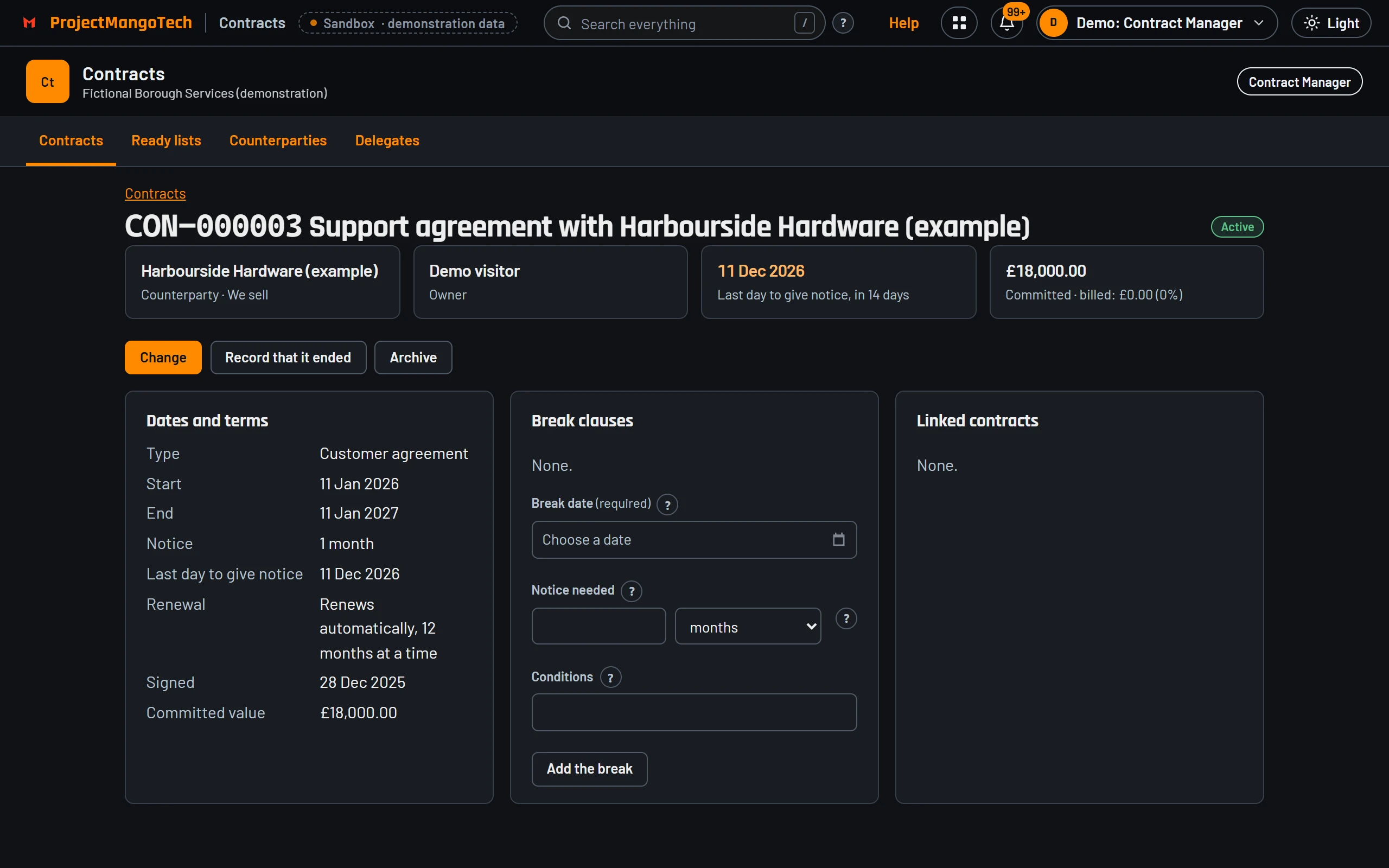
What Contracts does for you.
Every contract, its parties, value, owner, documents and versions.
Reminders before every notice date, break clause and end date.
By value and type, from someone other than the person who asked.
What each side must do and when, tracked to done.
Orders and invoices against the contract, beside what it is worth.
Renew, renegotiate or end, recorded with the reason.
Everything you'd expect, and what a standalone contract management tool often can't.
| What it does | Contracts | A typical standalone contract management tool |
|---|---|---|
| Payments a customer owes billed through Finance before each due date | Included | No |
| Customers from Customers, so a customer is never typed twice | Included | No |
| Steps in processes that run across departments, with Flow | Included | No |
| Its to-dos in Core's one list of what is waiting, and its records in one search across every applet | Included | No |
| Procurement Act notices and their deadlines, such as contract details within 30 days | Included | Rarely |
| A tender's award arrives from Procurement as a draft contract | Included | Rarely |
| Renew, renegotiate, re-tender or end, decided with a reason | Included | Often extra |
| Orders and invoices against each contract, beside what it is worth | Included | Often extra |
| Sent for signature in Signatures, with the outcome back on the contract | Included | Often extra |
| Its reports in Core: build your own in a sentence, present full screen, emailed on a schedule, live in Excel and Power BI | Included | Often extra |
| One register: parties, value, owner, documents and versions | Included | Usually |
| The last day for notice worked out, with reminders before it | Included | Usually |
| Reminders go to a delegate while the owner is away | Included | Usually |
| Approval by value and type before signing | Included | Usually |
| Obligations on both sides, tracked to done | Included | Usually |
| Insurances and certificates the other side must keep, with their expiry dates | Included | Usually |
| Variations that work out the notice date again and keep the old values | Included | Usually |
| Your existing contracts imported from a spreadsheet, with a dry run first | Included | Usually |
No: it needs Core's other applets working together, so a standalone tool can't. Often extra: an add-on, a higher plan, another product or a connector to set up. At launch: arrives before Core goes on sale in January 2027. What a typical standalone tool offers is our reading of popular UK tools of each kind in November 2026; individual products vary.
Nothing typed twice.
Contracts passes its work to the applets beside it and hears back from them, so the same thing is never entered twice.
Everything every applet needs, already there.
Contracts uses Core's one sign-in, knows your people and their roles, sends to the same bell, and keeps every change on the record. Switch it on beside the applets you already use, for one price set by the size of your organisation.
Learn it in minutes.
Questions about Contracts
Can we bring in the contracts we already have?
Yes, from a spreadsheet, with a dry run first so you see every row before anything is saved.
How is the notice date worked out?
From the contract's end date and its notice period. A variation works it out again, and reminders arrive before it.
Can contracts be signed online?
Yes. Send the document for signature from the contract, and the signed copy comes back to it.
Applets that work alongside it.
Core opens soon.
We're getting Core and its 24 applets ready for their first organisations. Tell us what yours needs and we'll let you know the day the sandbox opens.