
Report every incident, including near misses: they show where the next injury will come from.
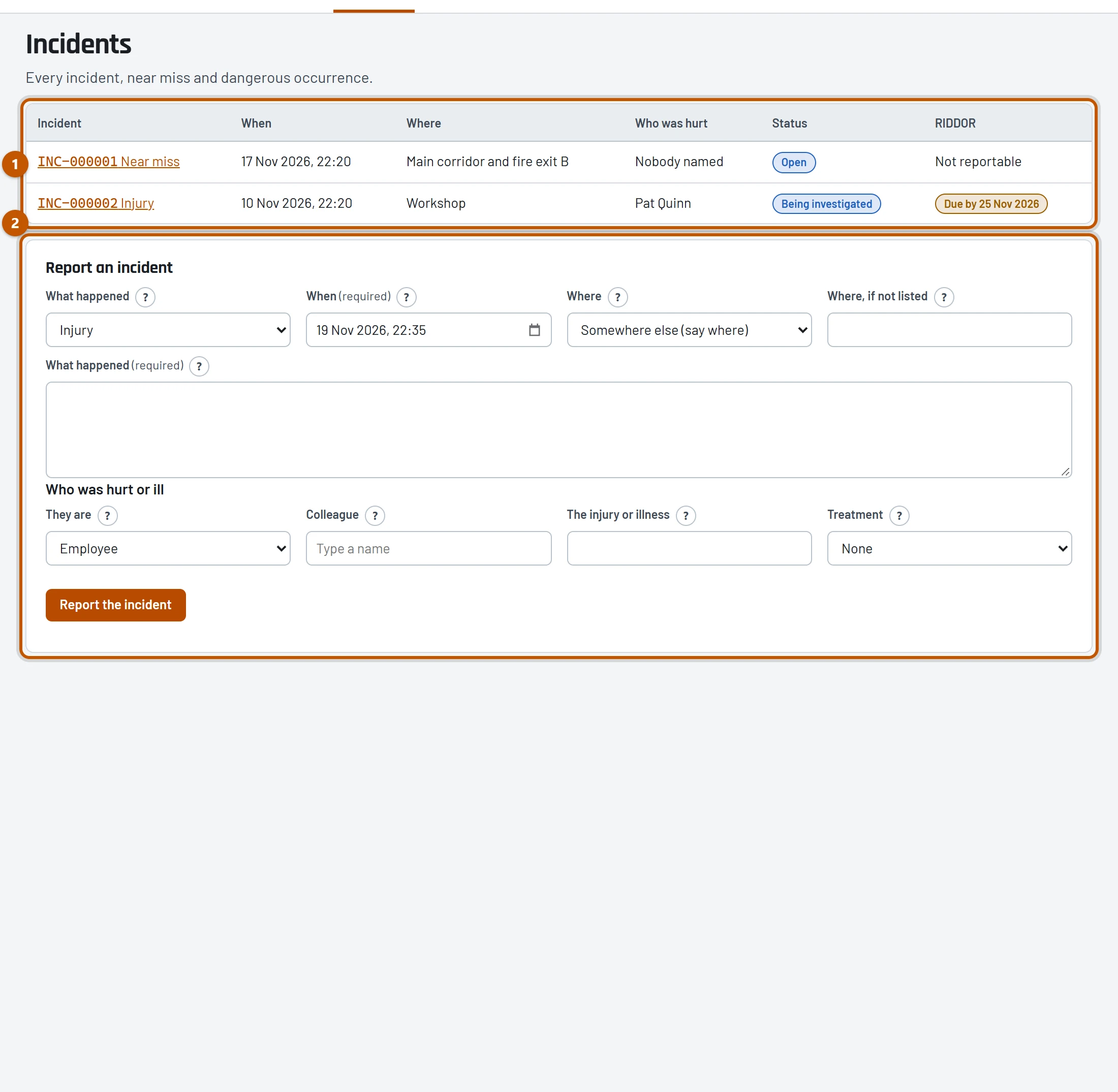
- The incidents: when, where, who was hurt, the status, and whether it must be reported under RIDDOR.
- Report an incident.
To report one:
- Choose Incidents, or Report an incident here on a place's page.
- Choose What happened: Injury, Ill health, Near miss or Dangerous occurrence.
- Set When, and Where, or Somewhere else (say where) with Where, if not listed.
- Describe What happened.
- Under Who was hurt or ill, choose They are (an employee, another worker, a visitor or a member of the public), then the Colleague or Their name, The injury or illness, and the Treatment.
- Choose Report the incident.
The Safety Managers and Investigators are told. You see the incidents you reported; only those investigating see everyone's.
Was this helpful?