
Applications from your careers page arrive as applicants within a minute. Open a vacancy, then an applicant under Applicants, to see Their answers.
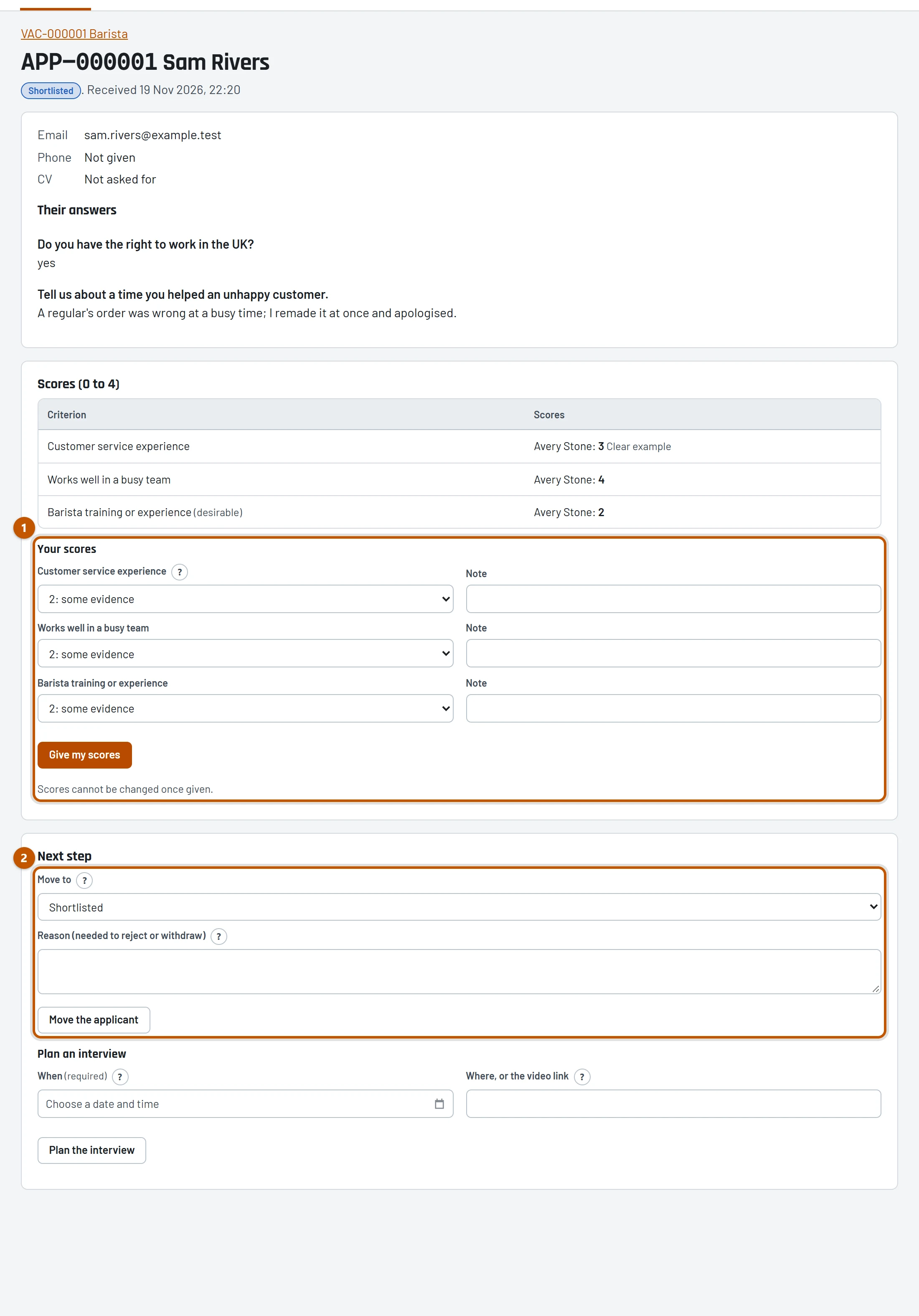
- Your scores: a score and a note for each criterion, then Give my scores. Others' scores are above.
- Next step: Move to, the reason, and Move the applicant. Plan an interview is below.
Score
Each criterion is scored from 0 to 4: 0: no evidence, 1: little evidence, 2: some evidence, 3: good evidence, 4: strong evidence.
- Under Your scores, choose a score for each criterion, with a Note if it helps.
- Choose Give my scores.
Scores cannot be changed once given. Other people's scores can stay hidden until you have given yours, so nobody is swayed: the page says so when they are.
Move them on
Under Next step, choose Move to: Applied, Shortlisted, Interview, Offer, Hired, Rejected or Withdrawn, then Move the applicant. Rejecting or withdrawing needs a Reason. Panel Members see applicants once they are shortlisted.
Their CV
The careers page never asks for a CV. Where the vacancy asks for one, ask the applicant by email once they are shortlisted. When it arrives, choose Attach their CV beside CV (one PDF of 2 MB at most, without a password). Open the CV opens it, and every opening is recorded.
Plan an interview
Under Plan an interview, set When, and Where, or the video link, then Plan the interview. The panel is told.
An application received another way
On the vacancy, Enter an application received another way takes the applicant's Name, Email, Phone and answers. Tick whether They agreed to be kept on file for future vacancies, then Add the applicant.