
My processes lists the workspace's processes. Processes shows your own; Process templates shows the reusable templates, grouped by category.
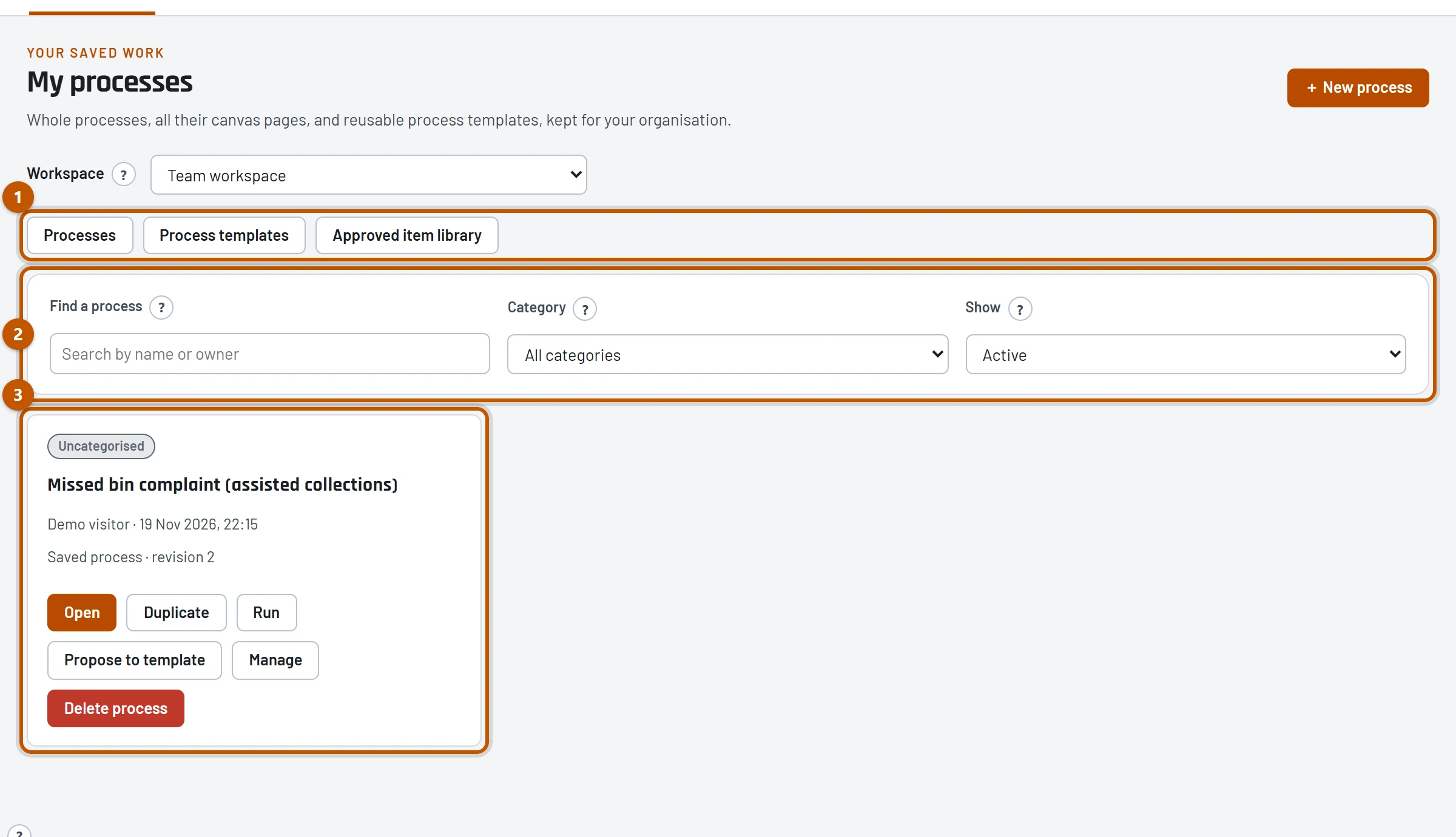
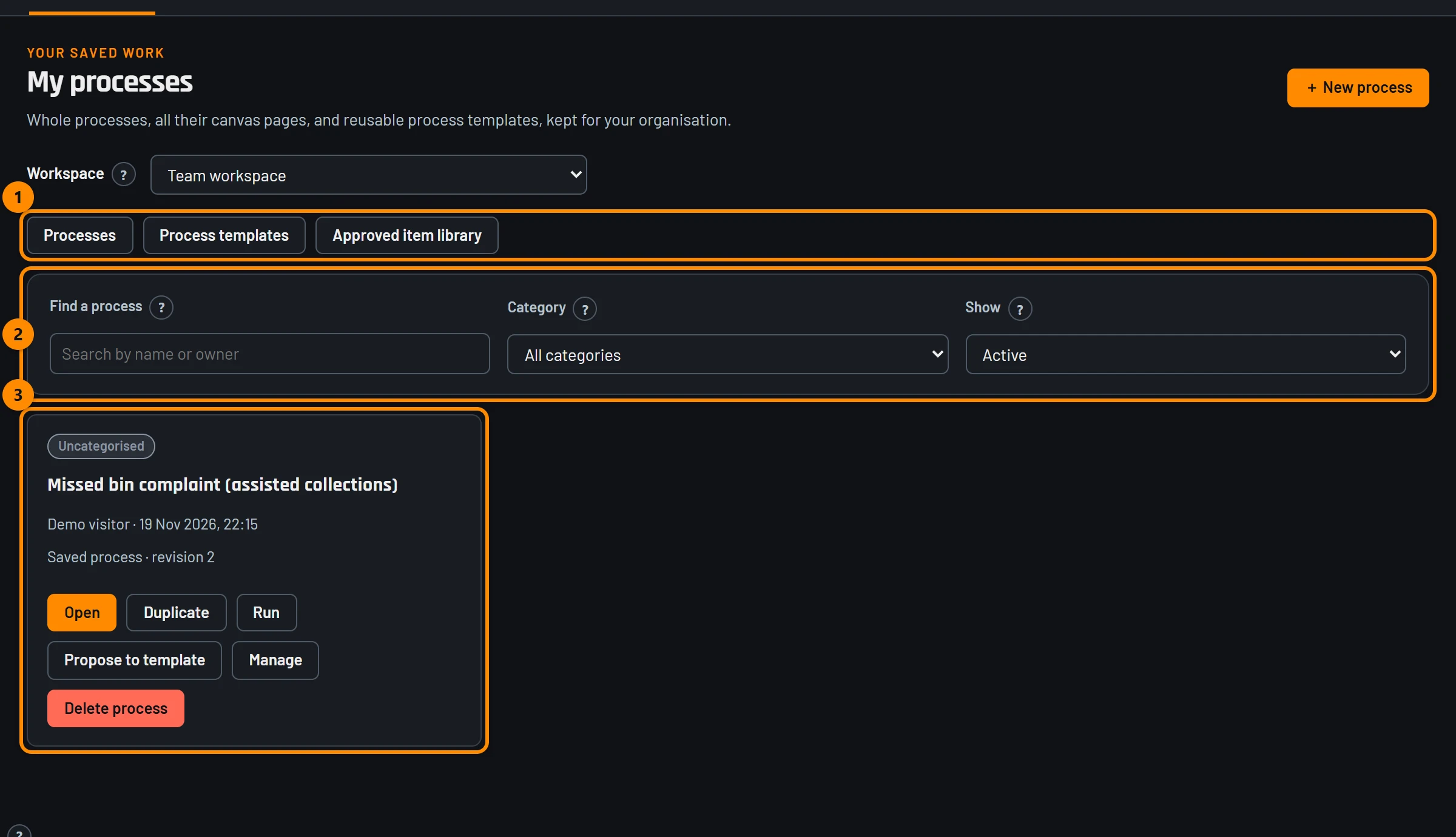
- Processes, Process templates and Approved item library.
- Find a process, Category and Show.
- A process, with Open, Duplicate, Run, Propose to template, Manage and Delete process.
Find one
- Find a process: search by name or owner.
- Category: one category, or All categories.
- Show: Active, Archived, or Trash (recoverable).
What you can do with a process
Each card shows the process's category, name, owner, when it was last saved and its revision.
- Open: change it on the planner canvas.
- Duplicate: a copy to change without touching the original.
- Run: launch it now. See Launch a flow.
- Propose to template: on a copy of a template, suggest your changes to the template's owner. See Propose changes to a template.
- Manage: rename it, change its category, or archive it.
- Delete process: moves it to the Trash, where it can be restored from Manage.
A template's card has View, Use template (a new process copied from it) and Run.
+ New process starts an empty one.
Was this helpful?