
Choose Bank. Each bank account in the chart shows its Ledger balance, how far its statements go, and the lines left to match. Finance never connects to your bank.
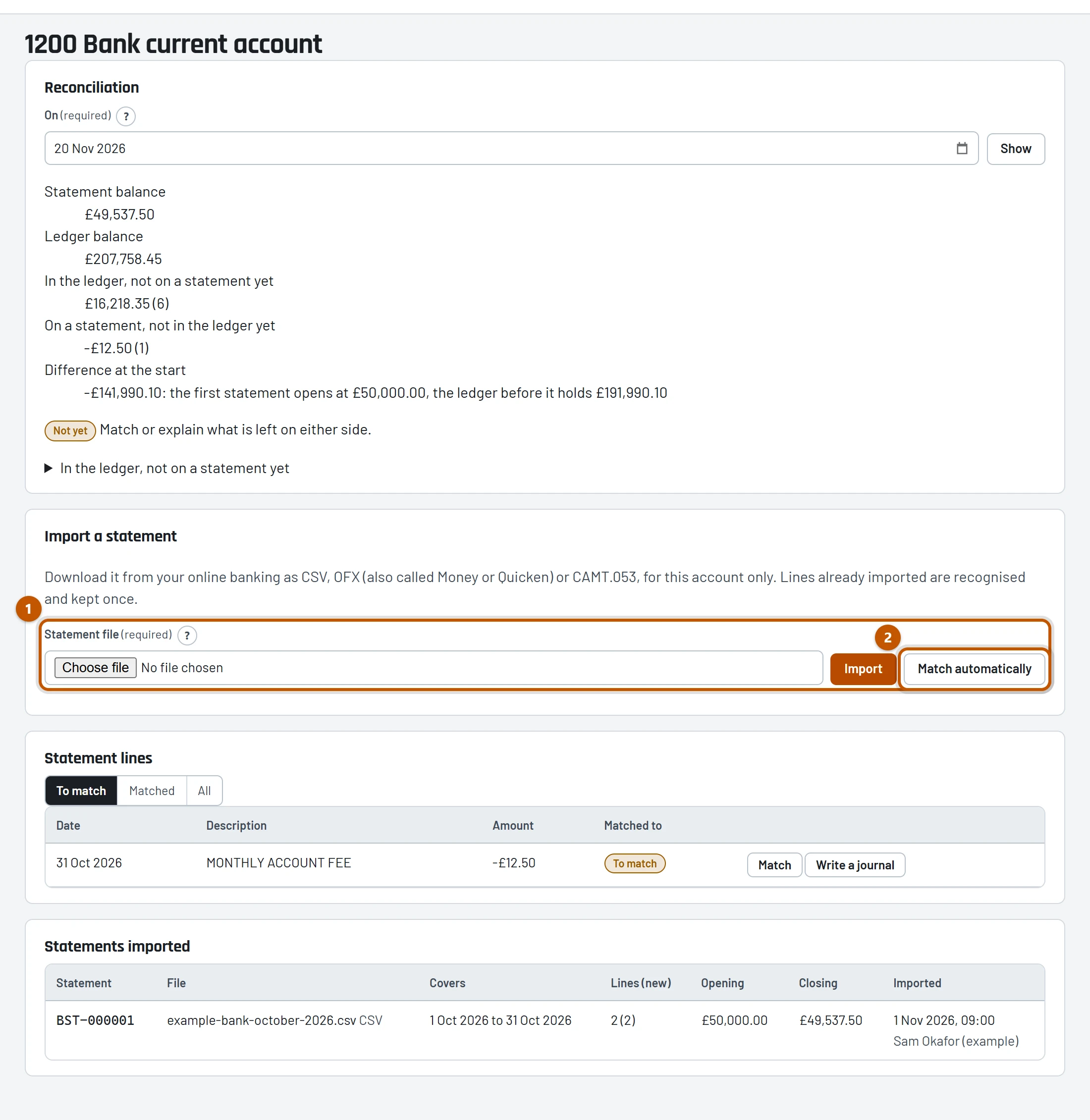
- Import a statement: choose the file, then Import.
- Match automatically. The lines left to match are below it.
Import a statement
Download the statement from your online banking as CSV, OFX (also called Money or Quicken) or CAMT.053, for this account only. Open the account, choose the Statement file, then Import. The first CSV asks Which column holds what?: say once, and it is remembered. Lines already imported are recognised and kept once.
Match
Match automatically matches each line to a ledger entry of the same amount near its date. For the rest, choose Match beside a line and tick the ledger entries that make it up. A line with nothing in the ledger, such as a bank charge, gets Write a journal: choose what it was for, then Post and match. Undo takes a match back, with a reason.
Reconciliation shows the statement balance against the ledger, and what is on one side but not the other, until they agree.