
Choose Sales. Status filters the invoices; each shows what is still Owed.
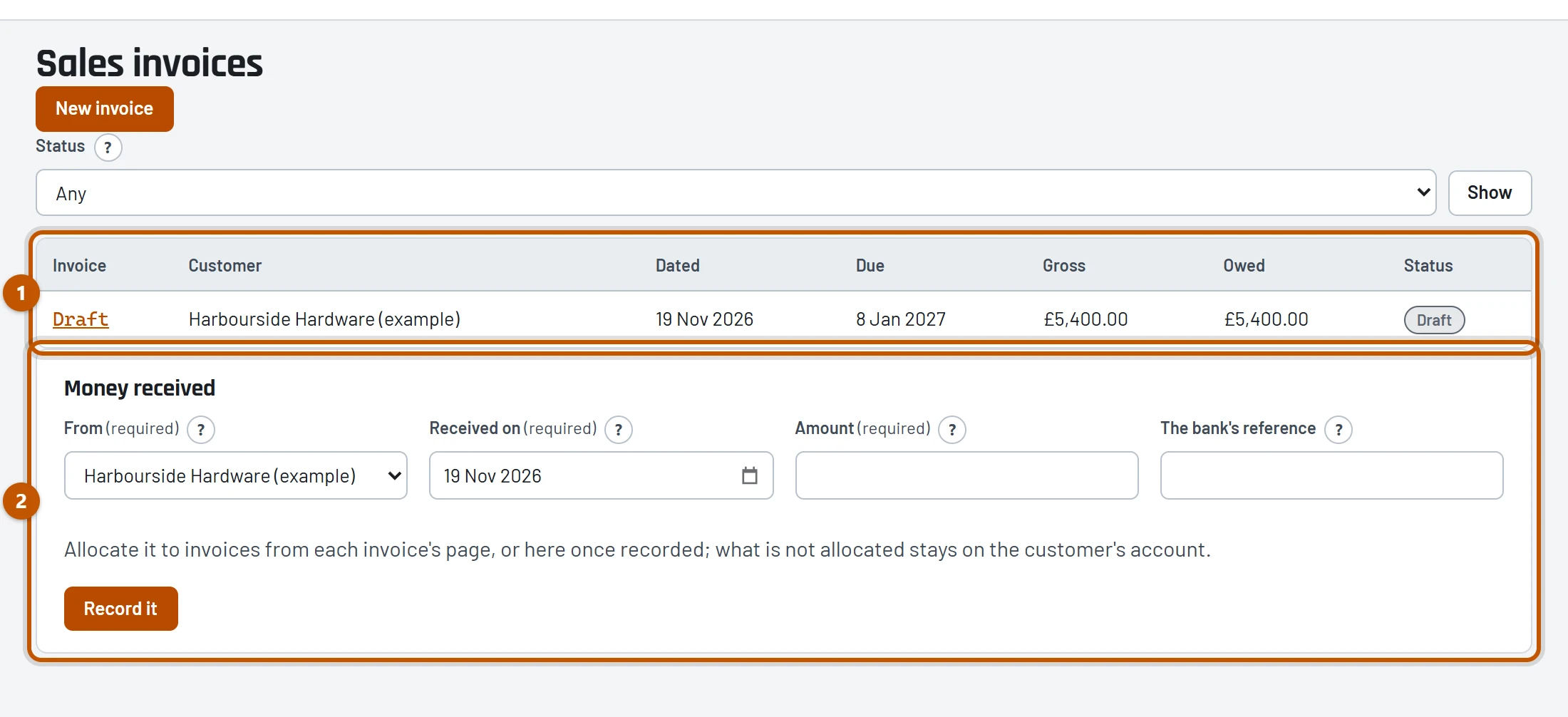
- The invoices, with what each still owes.
- Money received: record a payment from a customer.
Invoice a customer
- Choose New invoice and the Customer. Due can be left blank for the customer's own terms.
- Add a line for each thing: What, How many, Unit price (net) and its VAT code. A line with a VAT code has its VAT worked out at the code's rate on the invoice's date; without one, give the VAT yourself. Add a line for more.
- Add a Note on the invoice if it helps, then Save the draft.
- Open it and choose Issue it. It is posted, and Email it to the customer's billing email, or use Print view to print it or save it as a PDF.
A customer on credit hold in Customers is marked so.
Money received
Under Money received, choose who it is From, the Amount, Received on and The bank's reference, then Record it. Allocate it to invoices from each invoice's page; what is not allocated stays on the customer's account. On an invoice, Record and allocate does both at once.
Credit an invoice
On the invoice, under A credit note, give the date it is Dated, the Net, the VAT and Why, then Credit it. Above the organisation's limit a credit note waits for someone else with Approve credit notes to Approve or Refuse it.
Contracts' billing arrives as draft invoices, once linked. See Customers.
Was this helpful?