
The approval matrix sends each request to the right approver by its value and category. The bell tells you when one waits for you.
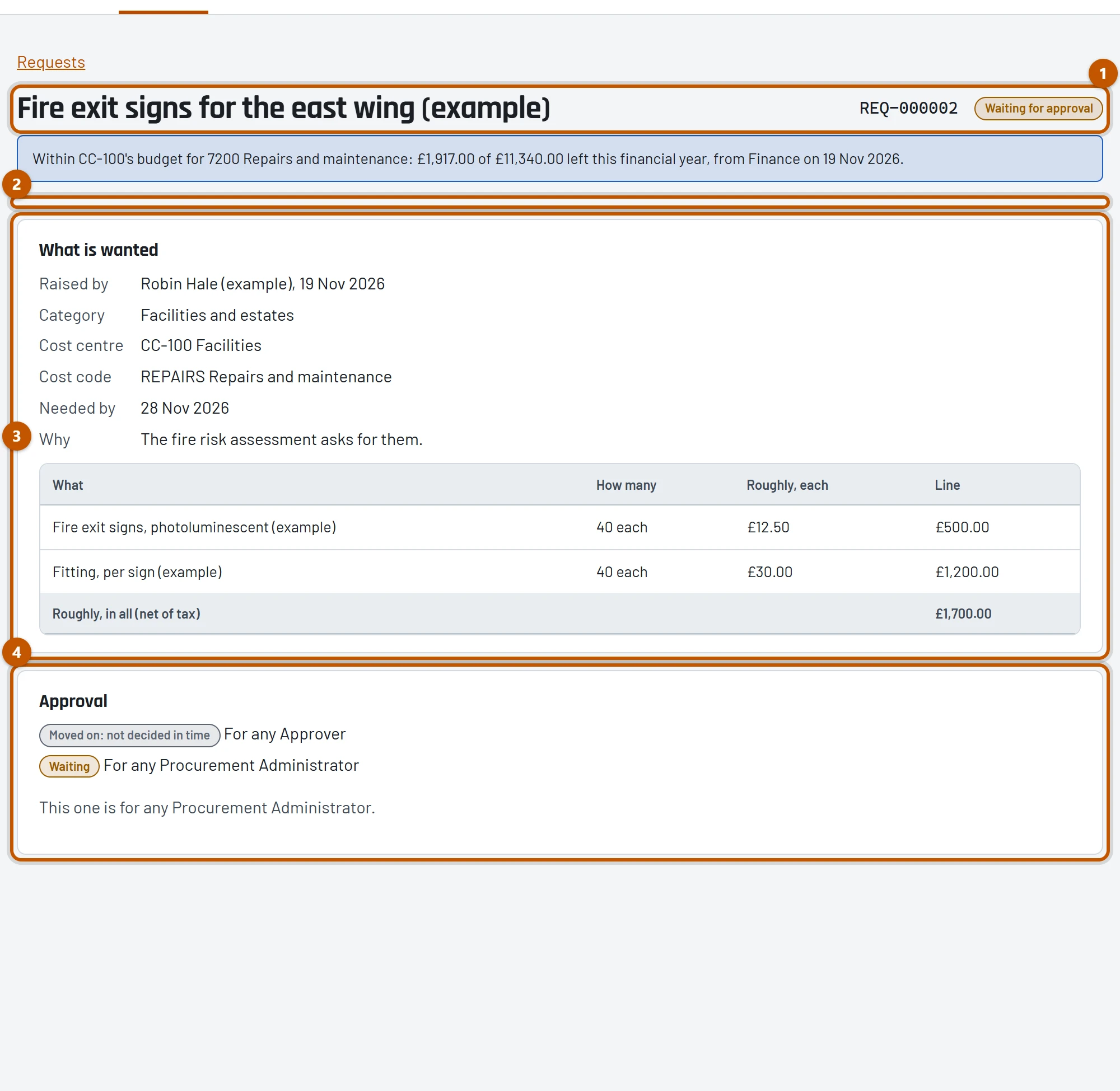
- The request and its status.
- Approve or Reject. Give a Reason to reject.
- What is wanted: who raised it, its category, cost centre and code, why, how it will be bought, and the lines with their rough prices.
- Approval: who it is for, and when it moves on if not decided.
Good to know
- Not decided in time, it moves on to the next row of the matrix, as Settings says.
- Nobody approves their own, while second-person approval is on.
- The same goes for a quick quote chosen with fewer quotes than its process asks, an order to a supplier that may not be ordered from, a change raising an issued order beyond its tolerance, a tender award, and an invoice to pay. Each shows its own Approve and Reject where it waits.
Was this helpful?