
An approved request shows Buying it, opened at the way your organisation buys at its value.
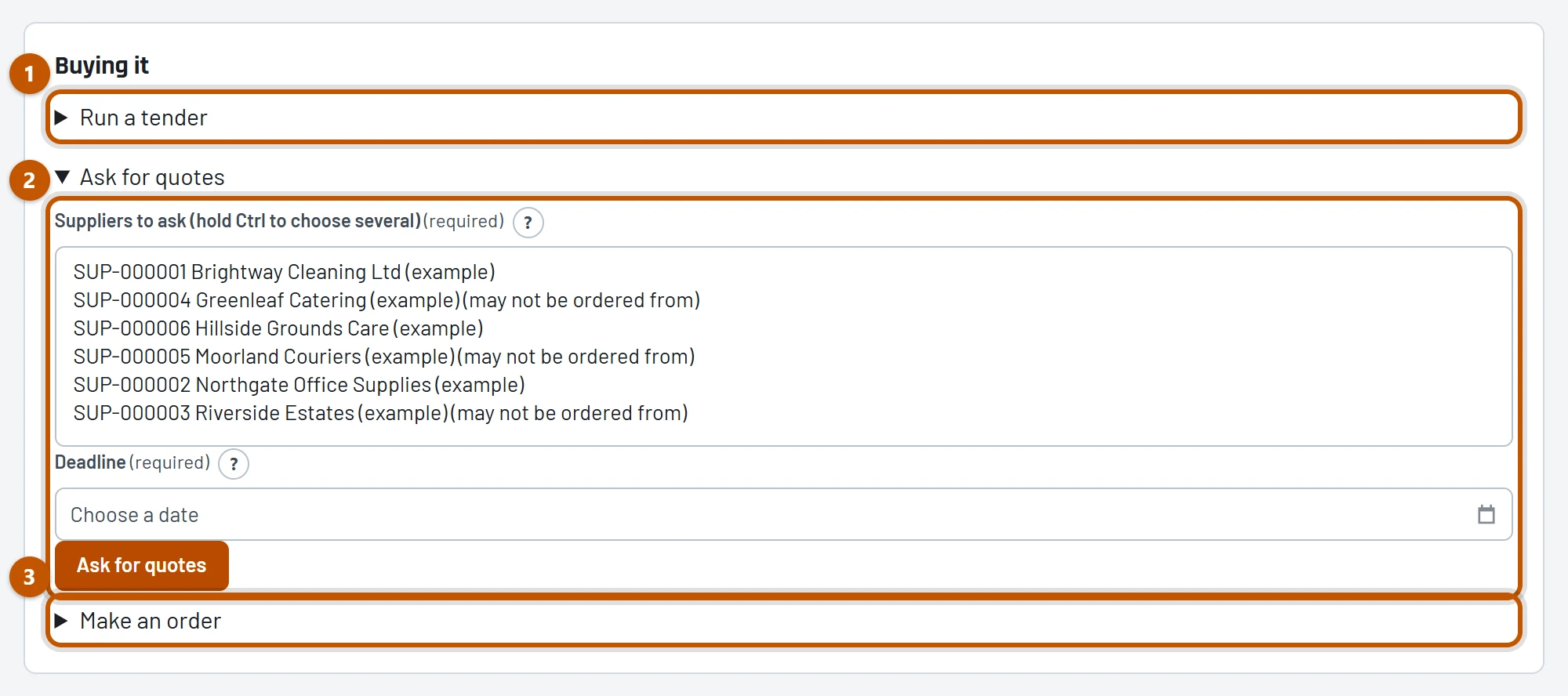
- Run a tender: see Run a tender.
- Ask for quotes: choose the Suppliers to ask (hold Ctrl to choose several) and a Deadline, then Ask for quotes.
- Make an order: straight from the request, or calling off a contract.
Quick quotes
Procurement sends nothing to suppliers: Email them opens an email to each, ready to send. Record each quote as it comes back (Quote from, Amount (net), Valid until), tick the one to choose, and Choose the ticked quote. Choosing anything but the lowest of enough quotes needs a reason; fewer quotes than the process asks for sends the choice to an approver. Ask another supplier adds one; Cancel the quick quote stops it.
The order
Draft the order from the chosen quote, or from a contract it calls off (with the amount left on it). Check its lines, when it is Needed by, and its Terms, then Issue the order. A supplier that may not be ordered from needs a reason, and someone else approves the exception.
Once issued, Email it to the supplier's contact, or open the Print view to print or save it as a PDF. A change to an issued order is a new version the supplier sees; one that raises it beyond the tolerance in Settings waits for approval.
Receiving
Under Received, enter what was accepted and rejected on each line, and why, with the day it Arrived on, then Record what arrived. A receipt recorded by mistake is Reversed, with a reason. Facilities and Products record what arrives for them, and it shows here too.
Good to know
- Orders lists every order, with its status: draft, waiting for approval, issued, part received, received, closed or cancelled.
- Invoices are recorded from the order: see Record and match an invoice.