
When a customer accepts a quote in Customers, Customers sends it to Products as an order request: see Record acceptance: the quote becomes an order. Products checks it against its own prices and rules, and makes one order, such as ORD-000001. The people who handle orders are told.
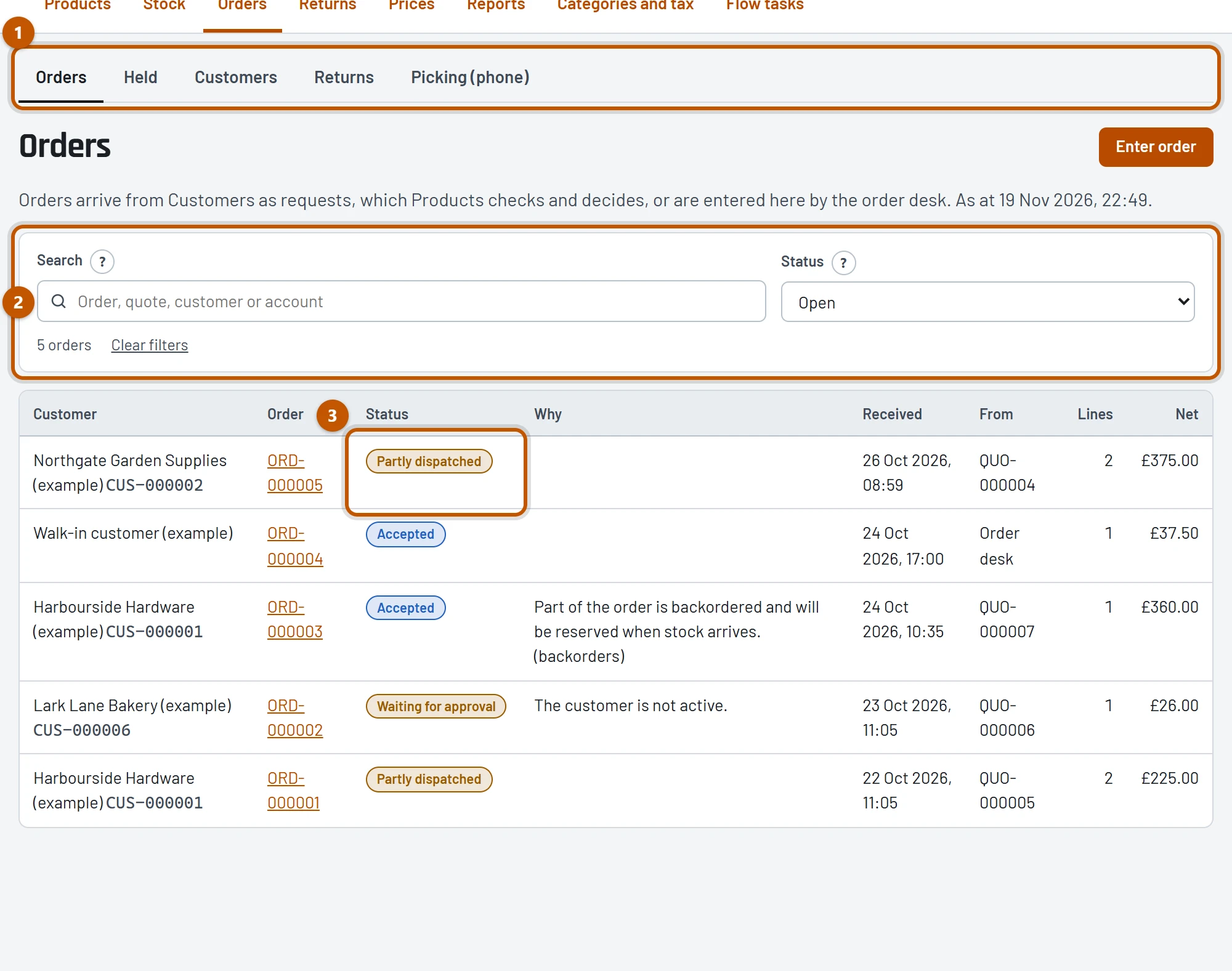
- Orders, Held, Customers, Returns and Picking (phone).
- Search and the filters.
- Status.
What Products checks
| What it finds | What happens |
|---|---|
| Products does not know the customer yet | Held as Received. It goes ahead by itself when the customer's details arrive |
| An item is not for sale, is in a unit or quantity that is not sold, or the currency differs | Rejected |
| The customer is not active, or is on credit hold | Waiting for approval |
| An item is discontinued | Waiting for approval |
| A line's tax does not match the customer's tax-exempt status | Waiting for approval |
| A line is below the floor price, the price list when it was priced, or the minimum margin, and no approver is named on the quote | Waiting for approval |
| Not all of it can be reserved, and backorders are not allowed | Held as Received, for the order desk |
| Everything is in order | Accepted, and the stock is reserved |
A price above the list price is accepted: the customer agreed to it.
Find the held orders
Orders shows the open orders, and Held the orders waiting for approval or held as received. Each row says Why. Search by order, quote, customer or account reference.
Decide a held order
Open the order. The banner gives every reason it was held.
- Approve covers every reason at once. The stock is then reserved, as for any accepted order.
- Refuse ends it, with a reason of at least 5 characters.
The Order Desk, Stock and Orders Managers and Products Administrators decide. Nobody approves an order they entered or last changed here, unless second-person approval is off; they then give a reason.
Short stock
An order that cannot be reserved in full offers:
- Reserve it all now, once the stock is there;
- Reserve what there is, backorder the rest;
- Cancel part of a line, with a reason, so the rest goes ahead.
Or wait: stock that arrives where it can be sold goes to the waiting orders by itself, first in, first out.
What Customers sees
Every change to the order goes back to Customers: its status, each line's quantities, and a short reason in plain words. Never a stock level, a cost or a location.