
Choose Approve. Weeks to approve lists the weeks waiting for you. Open one to see its time, day by day.
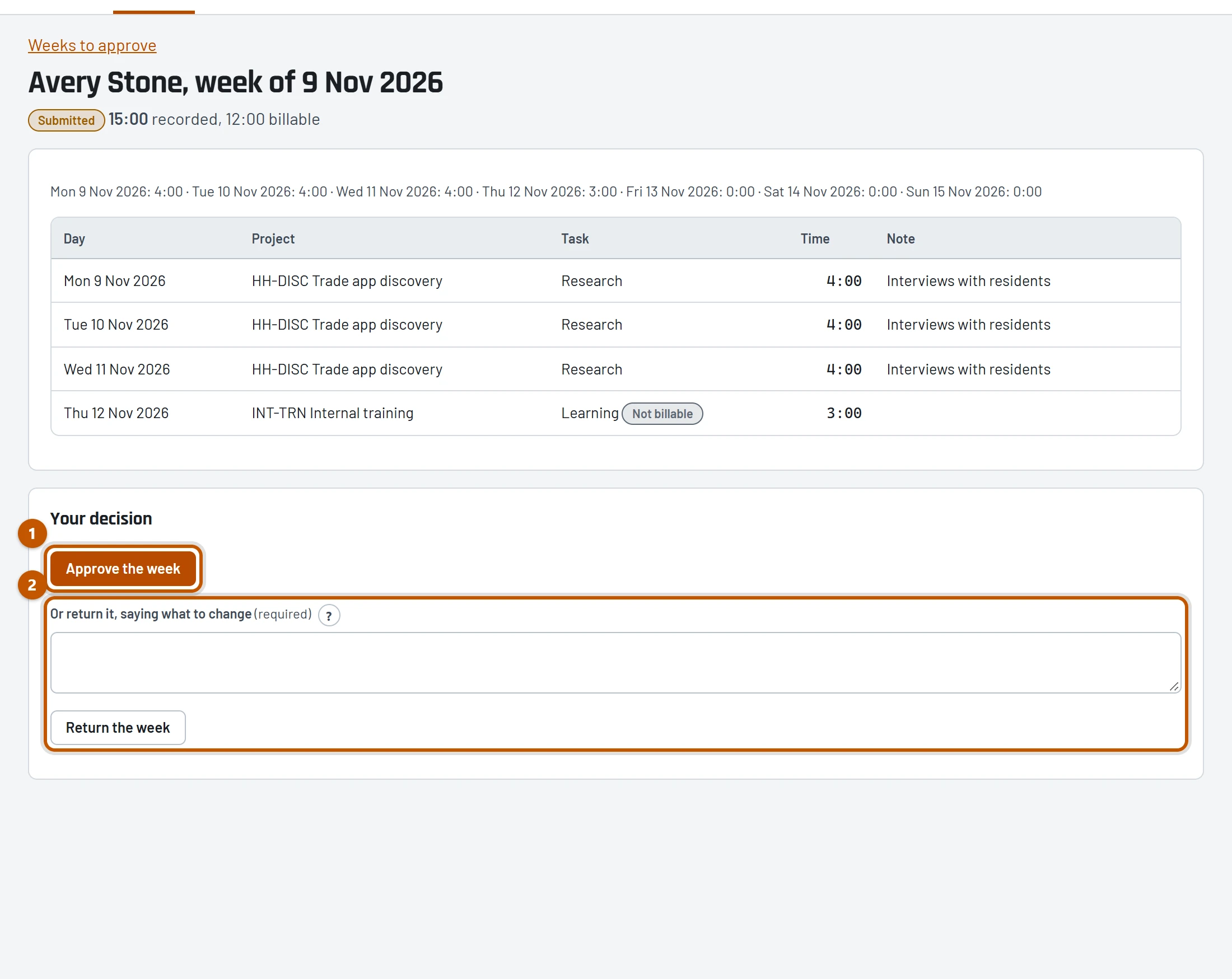
- Approve the week.
- Or return it, saying what to change, then Return the week.
Your decision
- Approve the week.
- Or write Or return it, saying what to change, then Return the week. The person is told, with your reason.
Nobody approves their own week, unless your organisation has turned that rule off.
Correct approved time
On an approved week, choose Correct beside an entry. Under Correct approved time, set the Corrected time, say Why it is corrected, and choose Save the correction. The person is told. Corrections lists every correction, with who made it, the time before and after, and why.
Was this helpful?