
Obligations
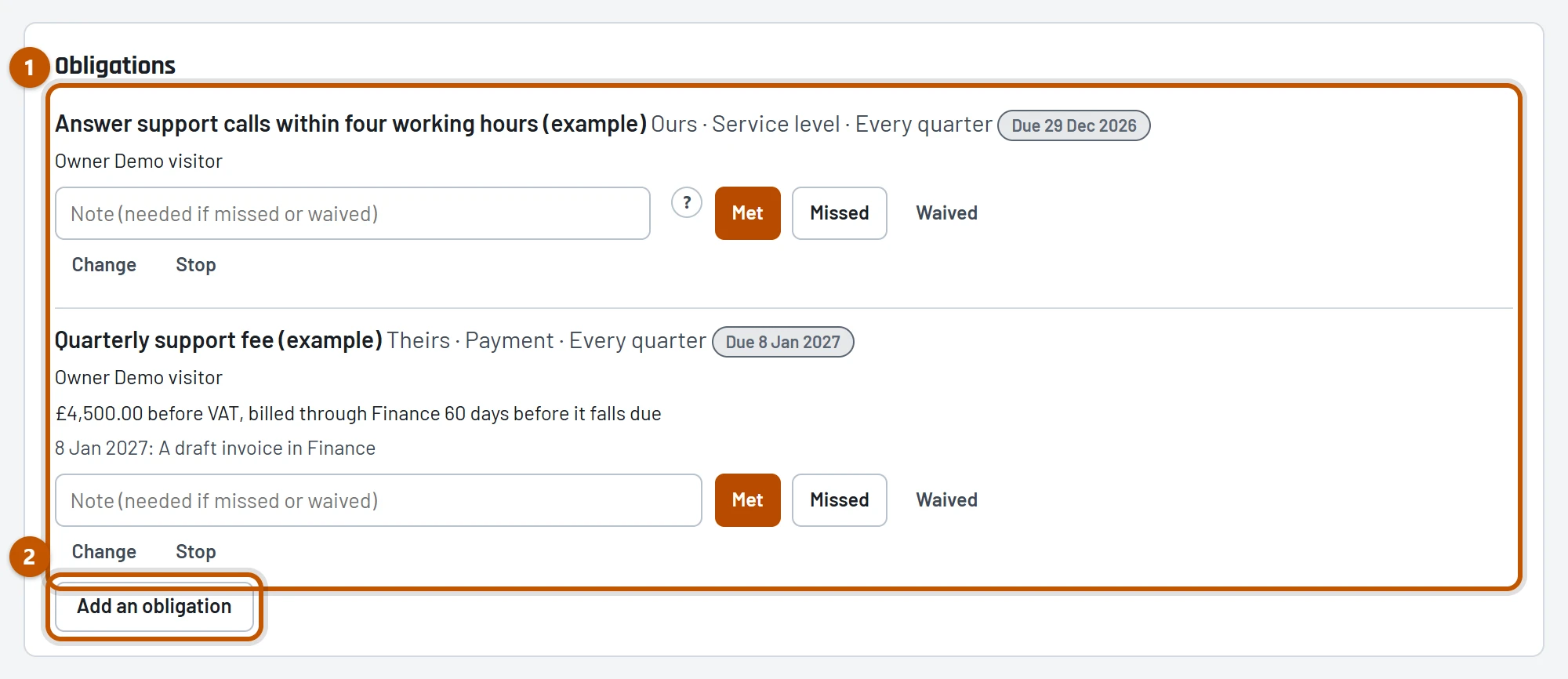
- Each obligation: deliverables, payments, service levels, insurances to keep. Whose it is (ours or theirs), its kind, how often it repeats, when it is next due, and its owner. Mark each occurrence Met, Missed or Waived; a repeating one then moves to its next date. Change or Stop it.
- Add an obligation.
An overdue obligation tells its owner once.
Spend
What is committed, and what has been spent (or billed, where you sell) to date, entered by hand or arriving from Procurement and Finance. The owner is warned as it nears the committed value, at the level set in Settings, and again at 100%.
Documents
Upload the signed copy and anything else under Documents. A file with the same title as one already there becomes its next version.
Variations
A change to the contract (a new end date or value, say) is a variation: Record a variation, with its changes and document, Submit for approval, then Apply it to the contract once approved. Until applied, the contract stays as it was.
Was this helpful?