
Administrators
Account administrators run the account and every organisation in it. The owner is one of them: the account's main contact, and the only one who can hand ownership on.
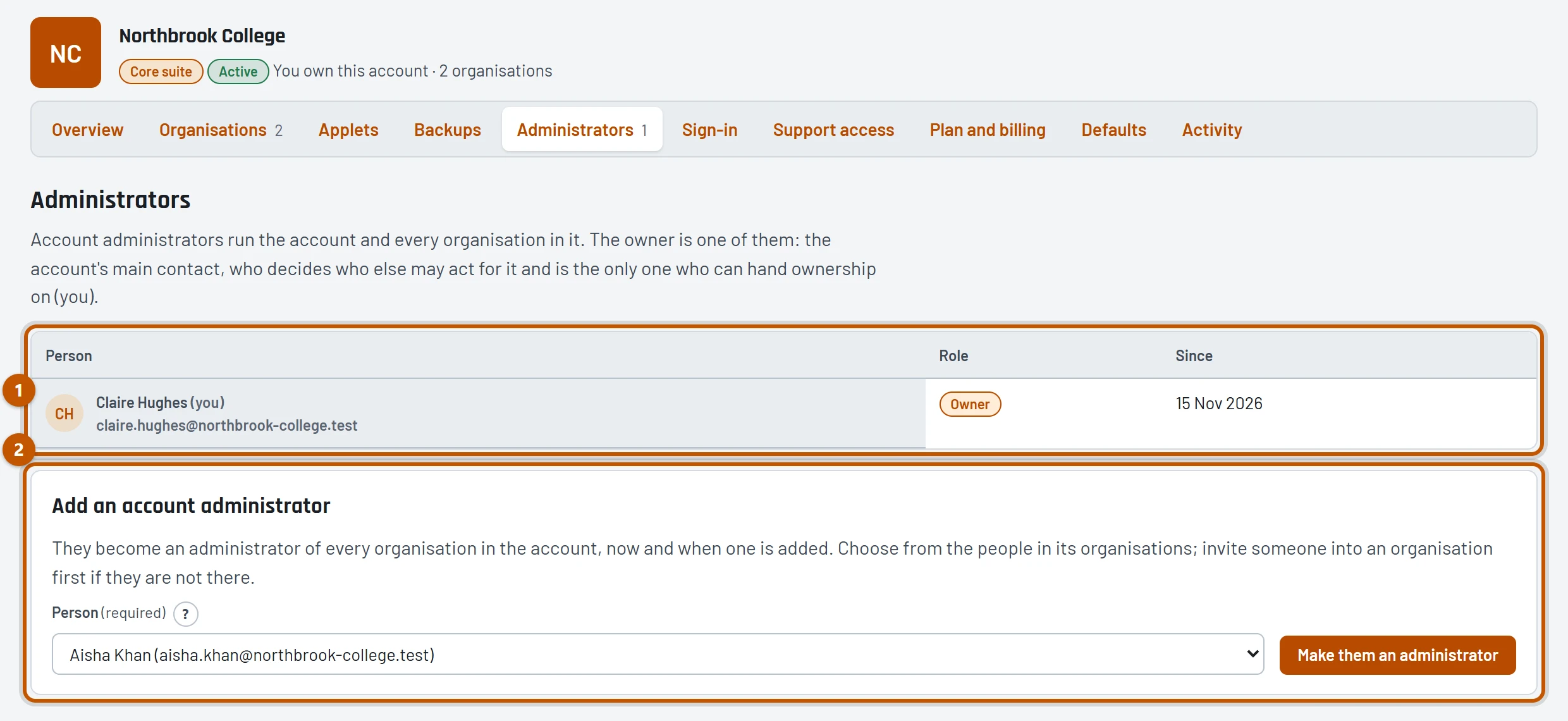
- The administrators, with each one's role and since when.
- Add an account administrator: choose the Person, then Make them an administrator. They become an administrator of every organisation in the account, now and when one is added.
Only people already in one of the account's organisations can be chosen; invite someone into an organisation first (Organisation › People).
- Make owner hands ownership on. You stay an account administrator.
- Remove stops someone running the account. They stay an administrator of each organisation until that is changed there.
Name a second administrator, so the account is never left without one.
Sign-in
How people in the account's organisations sign in, and who has set up two-step sign-in.
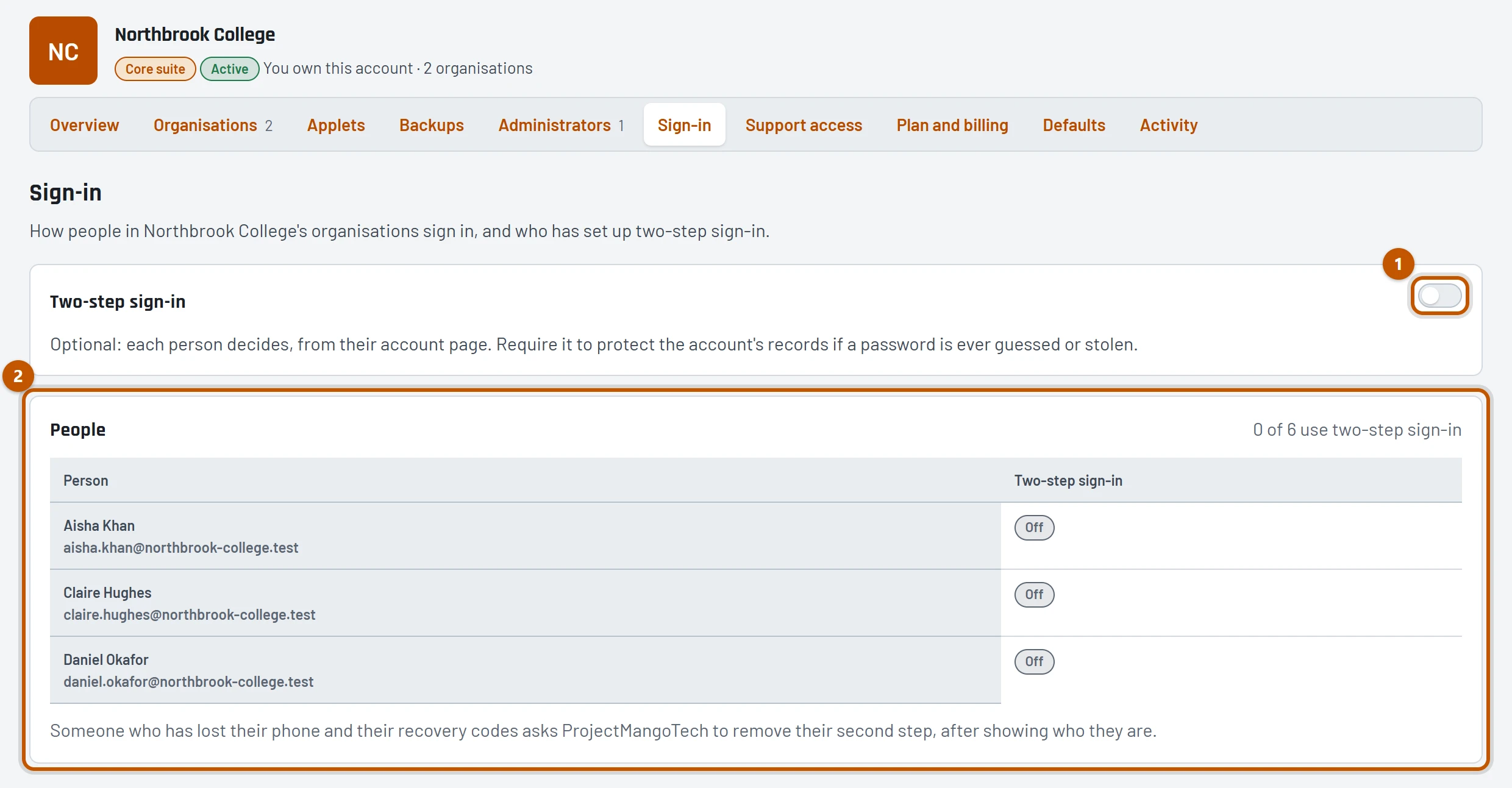
- Two-step sign-in: optional, each person decides from their account page. Switch it on to require it: those without it set it up at their next sign-in. Only the owner changes this.
- Each person, and whether they use it.
Someone who has lost their phone and their recovery codes asks ProjectMangoTech to remove their second step, after showing who they are.
Was this helpful?