
Flow runs processes across your applications. When a step belongs to Products, Flow asks Products, and the step waits under Flow here and in Waiting for you in Core home. Everyone except Viewers and Auditors can answer the steps their access level allows.
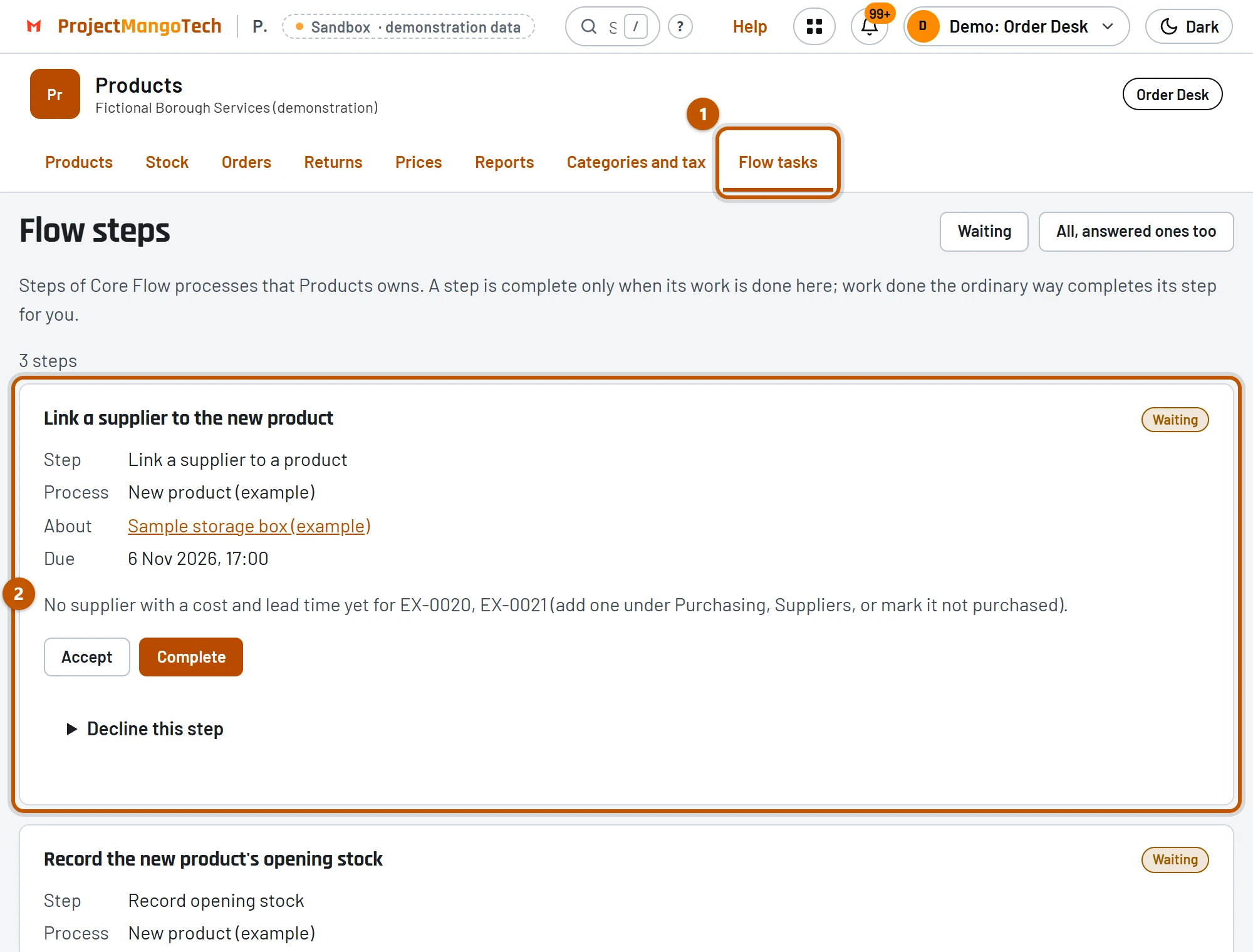
Answer a step
Open Flow. Waiting shows the open steps, and All, answered ones too the rest. Each step says what it is About, its Process, and when it is Due.
- Accept: you have it in hand. Flow is told.
- Complete: the work is done. Flow moves on.
- Decline this step: give a Reason (required) of at least 5 characters. Flow is told.
A step completes only when its work is done in Products. If it is not, the step says what is missing and stays open. Work done the ordinary way, on the product's page, completes its step for you, answered Completed in Products. Nobody does the work twice.
The New product process
Flow's New product process has five steps, one for each item of the product's checklist:
| Step | Done when |
|---|---|
| Complete a new product's record | Category, units, tax category and barcodes are set |
| Set a new product's prices | Every variant has a base price |
| Link a supplier to a product | Every variant has a supplier, or is marked not purchased |
| Record opening stock | Opening stock is signed off, or opened at zero |
| Approve a product for sale | A second person has approved it |
- A person starts the process in Flow and names the product.
- In Products, the first step offers Create the product for this step. Fill in the name, category and first variant, then choose Create the product. It is a draft, linked to the run, and the step is answered.
- The later steps find the same product. Do each on the product's page; its checklist says A Flow step waits on this beside the item.
- The approval step goes to someone who did not create, ask for approval of, price or change the product. Approve and activate on the product answers it.
Flow completing its steps never puts a product on sale by itself: a person's approval does. Customers has a New customer process that works the same way: see Flow tasks and the New customer process.
Other steps
A process can also ask Products to review a held order, resolve a stock shortage, review a count difference, or discontinue a product. Each is answered by the people who could do that work anyway.
In the sandbox, the New product (example) run for the storage boxes has two steps done and three waiting.
What starts a process
When one of these happens in Products, Flow starts every template that begins with it. In Flow's library, under Applets, each is a block that reads When: and its name, and it shows on the canvas as ▶ Starts the flow · Products.
| Starter | When it happens |
|---|---|
| Stock low | A product falls to or below its reorder level. |
| Order received | A new order arrives from Customers. |
Flow is told the record's reference, never a person's name. See Build a process from applet blocks in Flow's help.