
Organisations
Each organisation keeps its own people, access and records, apart from the others. Account administrators are administrators of every one of them.
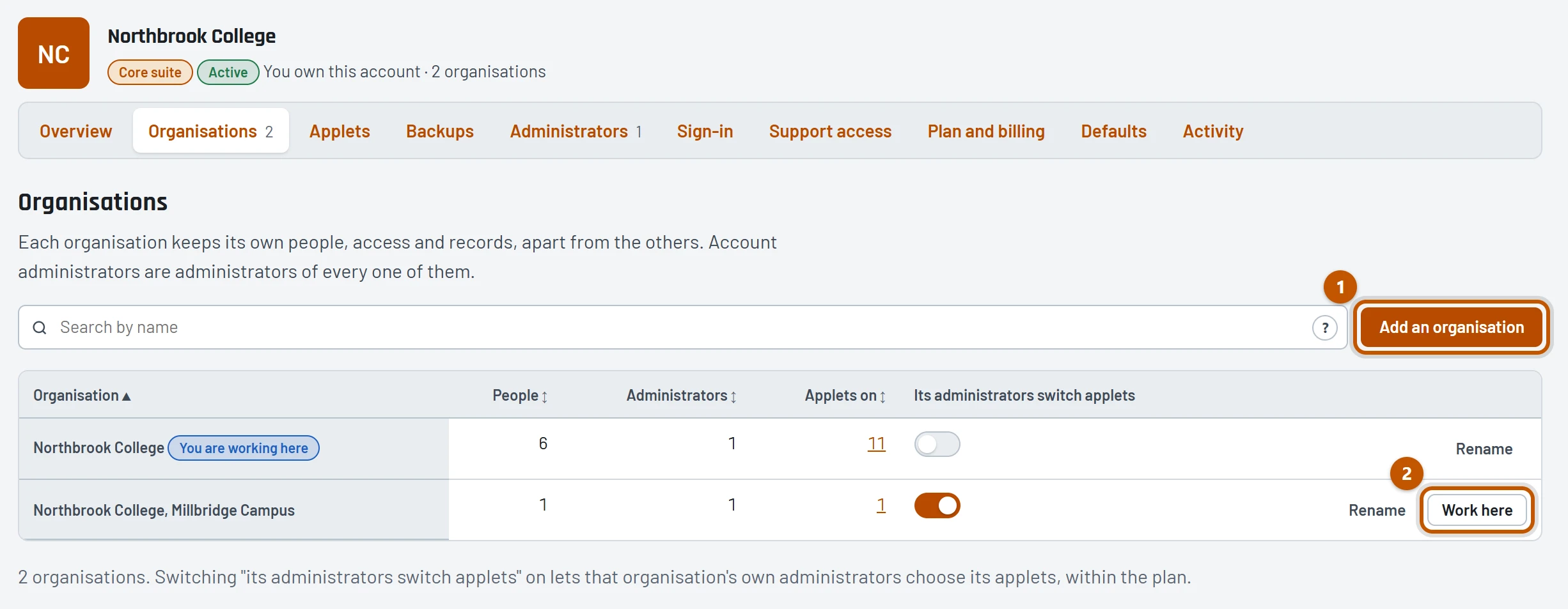
- Add an organisation: give Its name, then Add the organisation. It starts with the account's defaults, and you and the other account administrators run it from the start.
- Work here: Core home and every applet open in that organisation from now on. The one you are in says You are working here.
Rename changes an organisation's name. Switch on Its administrators switch applets to let that organisation's own administrators choose its applets, within the plan.
Applets
The plan says which applets the account can have. Switch each one on for the organisations that use it.
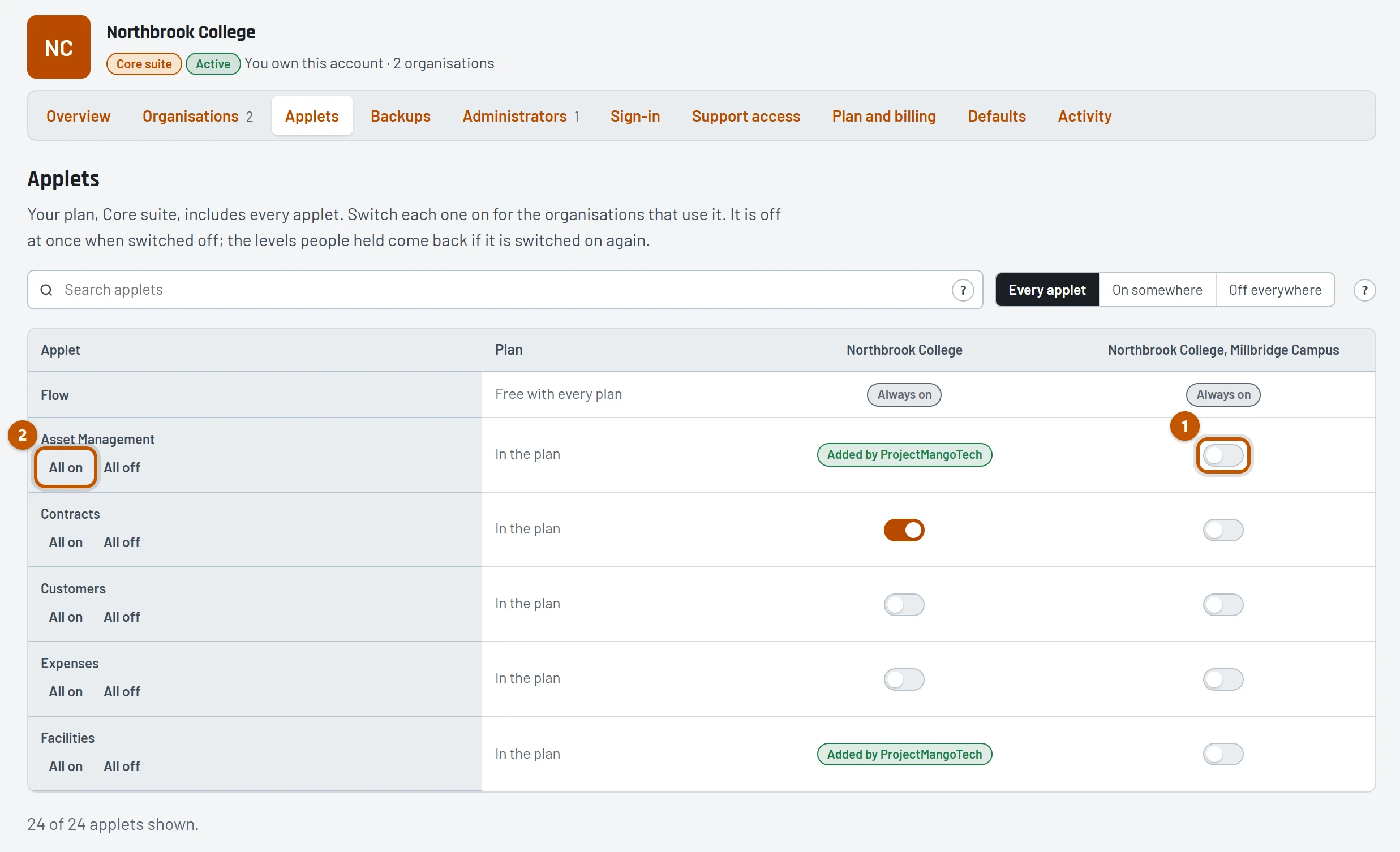
- One applet in one organisation. Switched off, nobody there can open it at once; the levels people held come back if it is switched on again.
- All on and All off: that applet in every organisation.
On somewhere and Off everywhere narrow the list. An applet marked Added by ProjectMangoTech was switched on for you, outside the plan.
When an applet is switched off
Its records in that organisation are kept for 30 days, listed under Switched off: records kept for 30 days:
- switch it back on before Erased on and everything is as it was;
- Make a copy to download keeps its records as a file; Download the copy when it is ready;
- Erase now erases them at once. They cannot be brought back, except from a backup made before.
The account's administrators are emailed a week before the records are erased.
Was this helpful?