
An account holds one or more organisations. Each organisation keeps its own people, access and records, apart from the others. The account's administrators run the account and every organisation in it; one of them is its Owner, the main contact, who decides who else may act for it.
Account administrators see Account in Core home, on the live site only: the sandbox has no account.
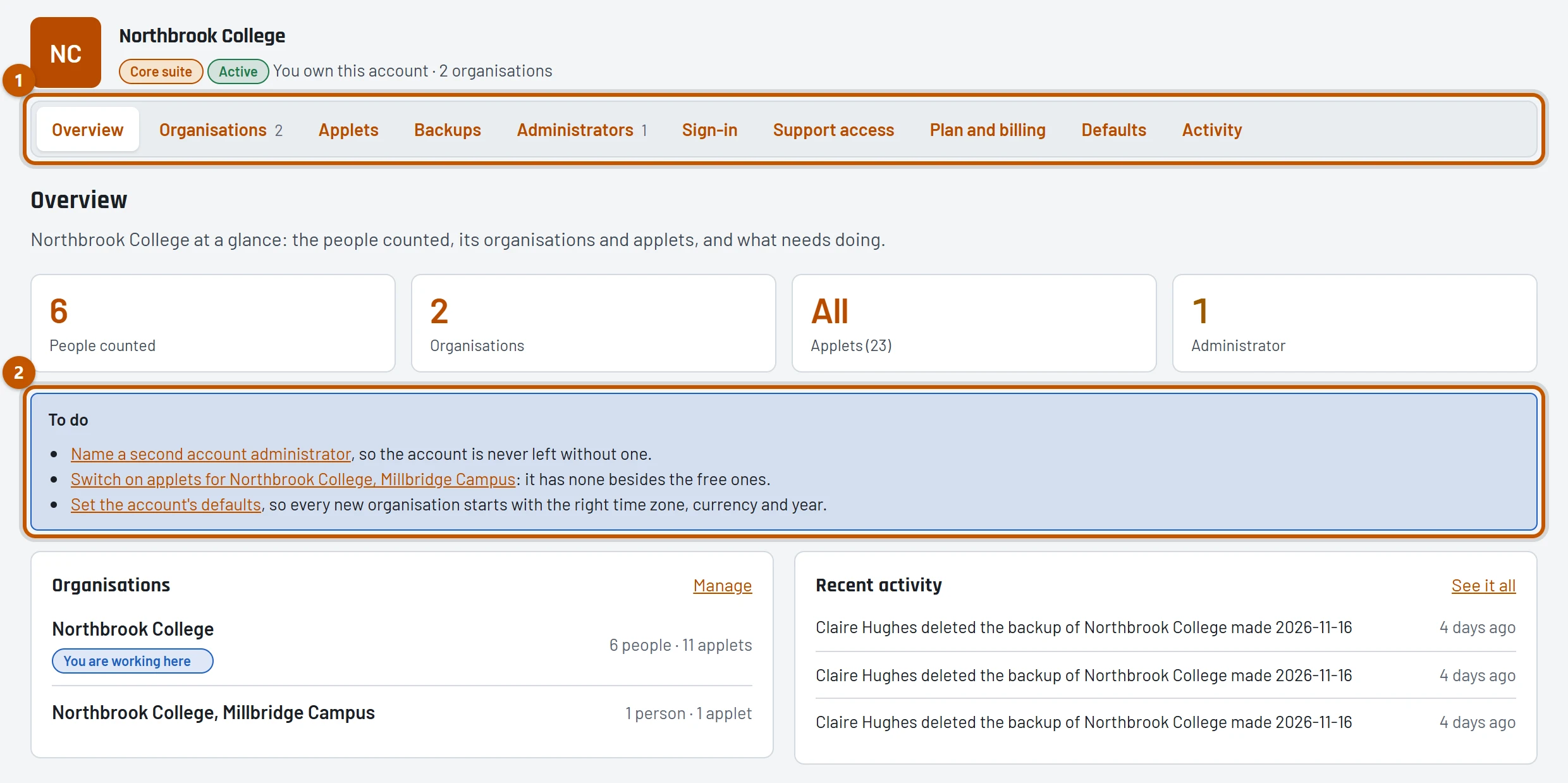
- The account's parts. A number beside one counts what is in it, or what waits for you.
- To do: what is still missing, each with a link to put it right, such as Name a second account administrator.
Below them: the people counted, the organisations and applets, and the latest changes. See it all opens Activity.
| Part | What it holds | Explained in |
|---|---|---|
| Organisations | Every organisation in the account; add, rename and work in one | Organisations and applets |
| Applets | Which applets each organisation has switched on | Organisations and applets |
| Backups | Nightly backups, backups on request, and restores | Backups and restores |
| Administrators | Who runs the account, and its owner | Administrators and sign-in |
| Sign-in | Who uses two-step sign-in, and whether it is required | Administrators and sign-in |
| Support access | Letting ProjectMangoTech's support in, for a set time | Support access |
| Plan and billing | The plan, payment, and closing the account | The plan, and closing the account |
| Defaults | What a new organisation starts with | Defaults and activity |
| Activity | Every change, who made it and when | Defaults and activity |
Some changes, such as a restore, can wait until another administrator approves them. Approving needs a code from your authenticator app.
Was this helpful?